DevaPatha Manager

Features

Everything your temple counter needs.

From the morning dashboard to the last receipt of the day — see how DevaPatha Manager supports real temple workflows on phone and tablet.

Dashboard

Start every day with a clear temple overview.

Greet staff with today’s date, income, live bookings, donations, and catalogue size. Switch between day, week, month, or year views, then jump straight into common counter tasks from shortcuts.

  • Income, bookings, donations & vazhipaadu counts
  • Quick actions: new booking, donation, receipt, devotee
  • Today’s schedule and recent walk-in activity
  • Works on phone and tablet at the counter
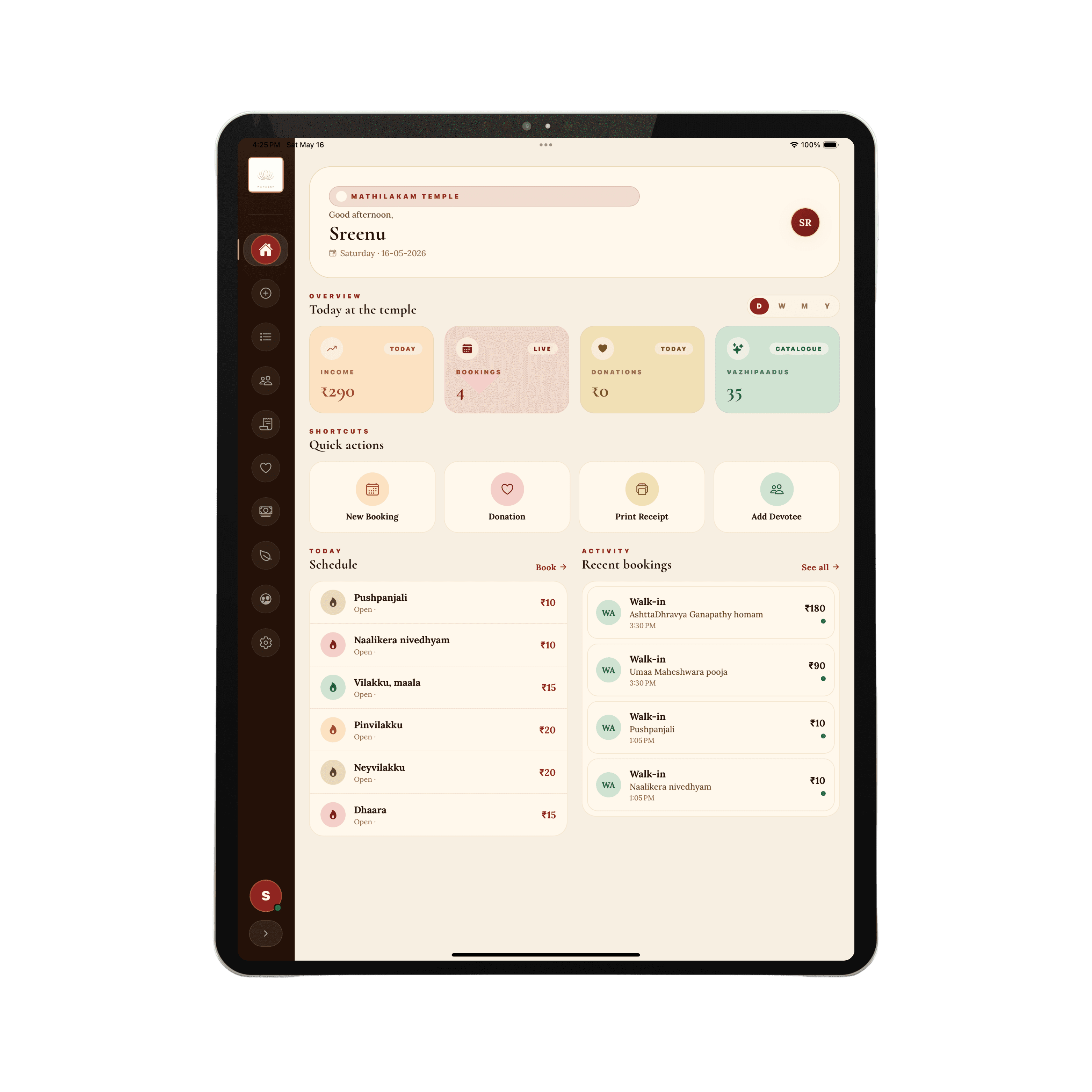
DevaPatha Manager dashboard

Counter POS

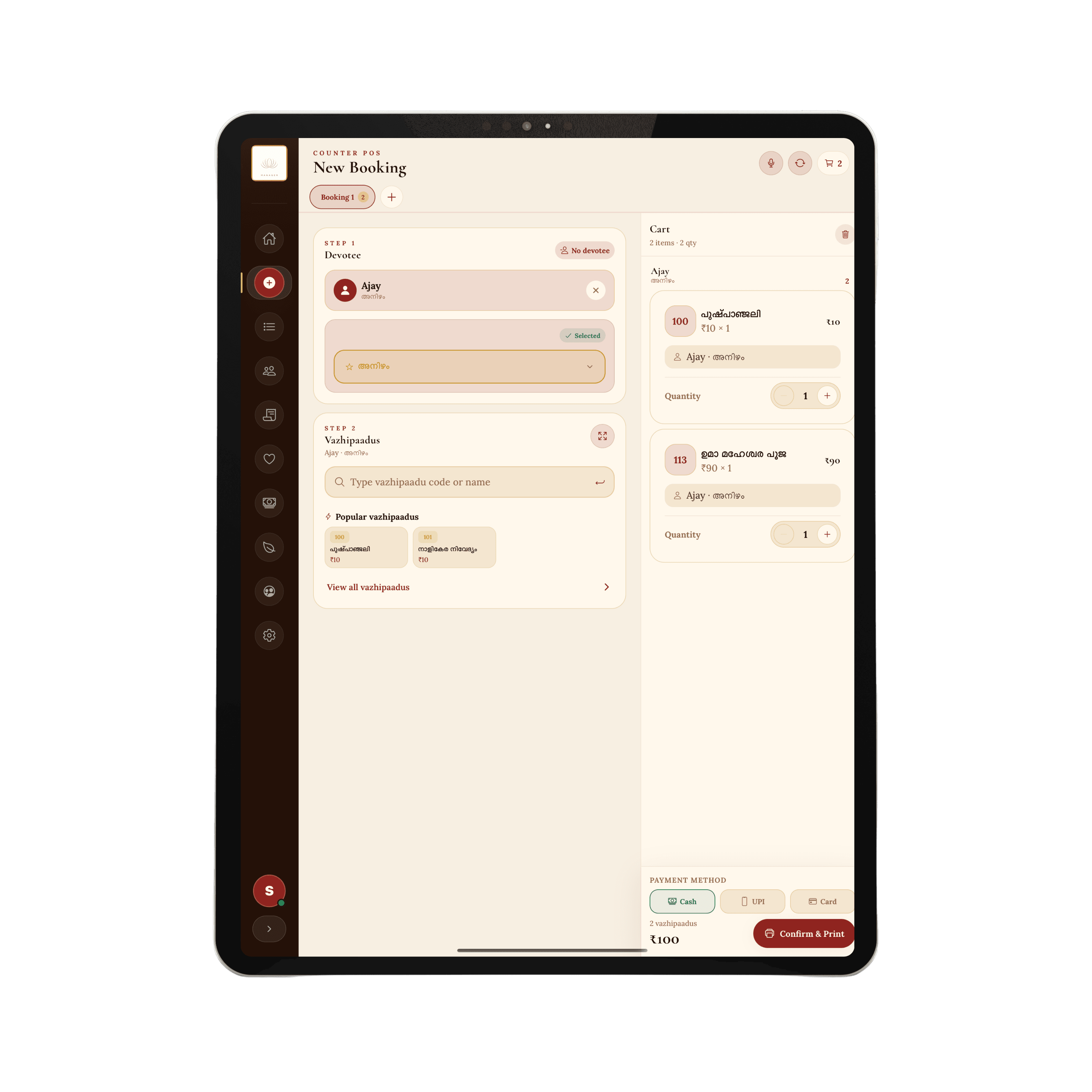
Record walk-in bookings without slowing the queue.

Counter staff search or add a devotee, select nakshatra, pick vazhipaadus by code or name, and complete payment in a guided flow built for busy temple hours.

  • Multi-step booking with devotee or no-devotee flow
  • Popular vazhipaadus for one-tap entry
  • Cart with cash, UPI, and card payments
  • Confirm and print receipts from the counter
Counter POS new booking

Vazhipaadus

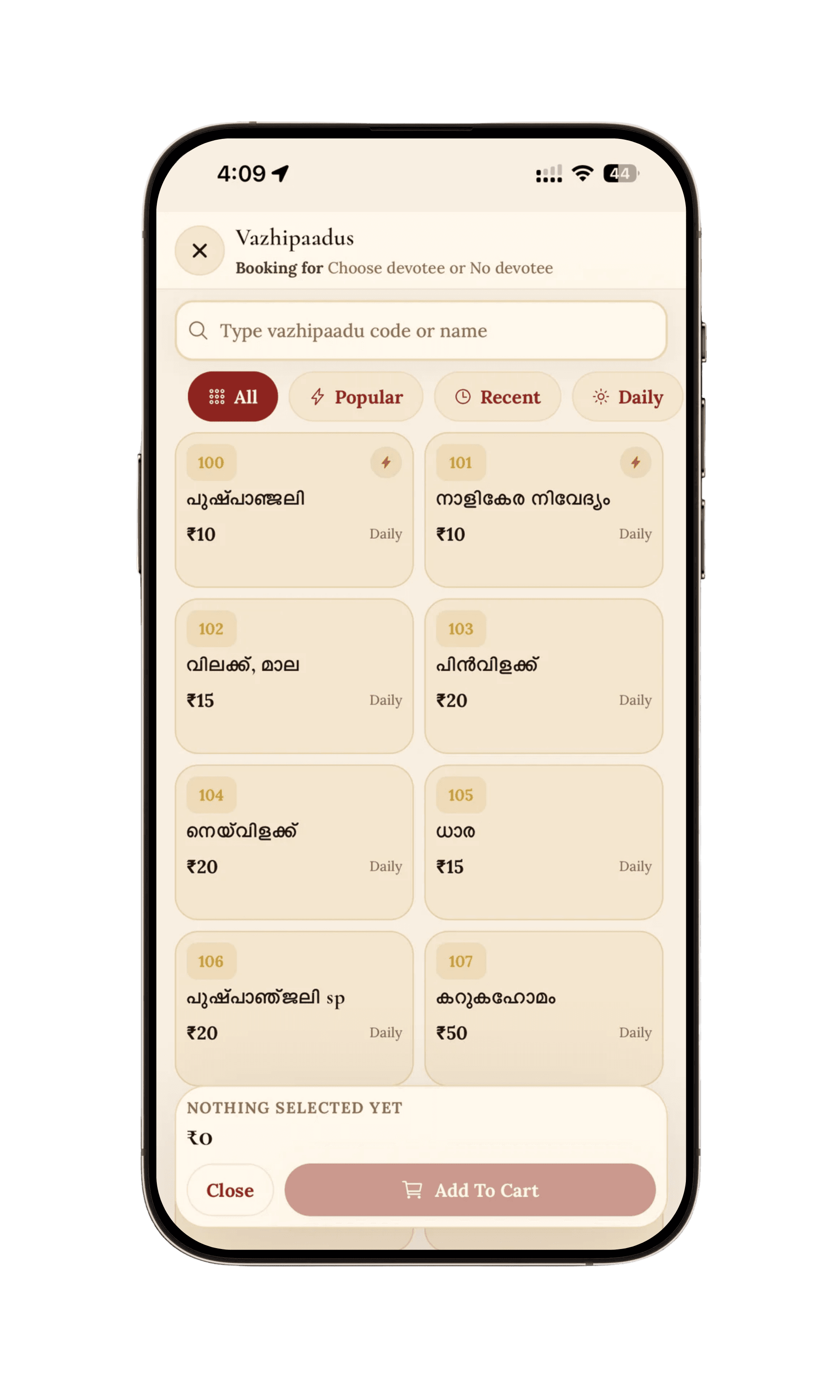
Browse and add offerings with confidence.

Search the full vazhipaadu catalogue by code or Malayalam name. Filter by popular, recent, daily, festival, or special categories so counter staff find the right offering quickly.

  • Code and name search across the catalogue
  • Category filters for faster selection
  • Clear pricing on every offering card
  • Add selections to cart in one tap
Vazhipaadus catalogue

Bookings

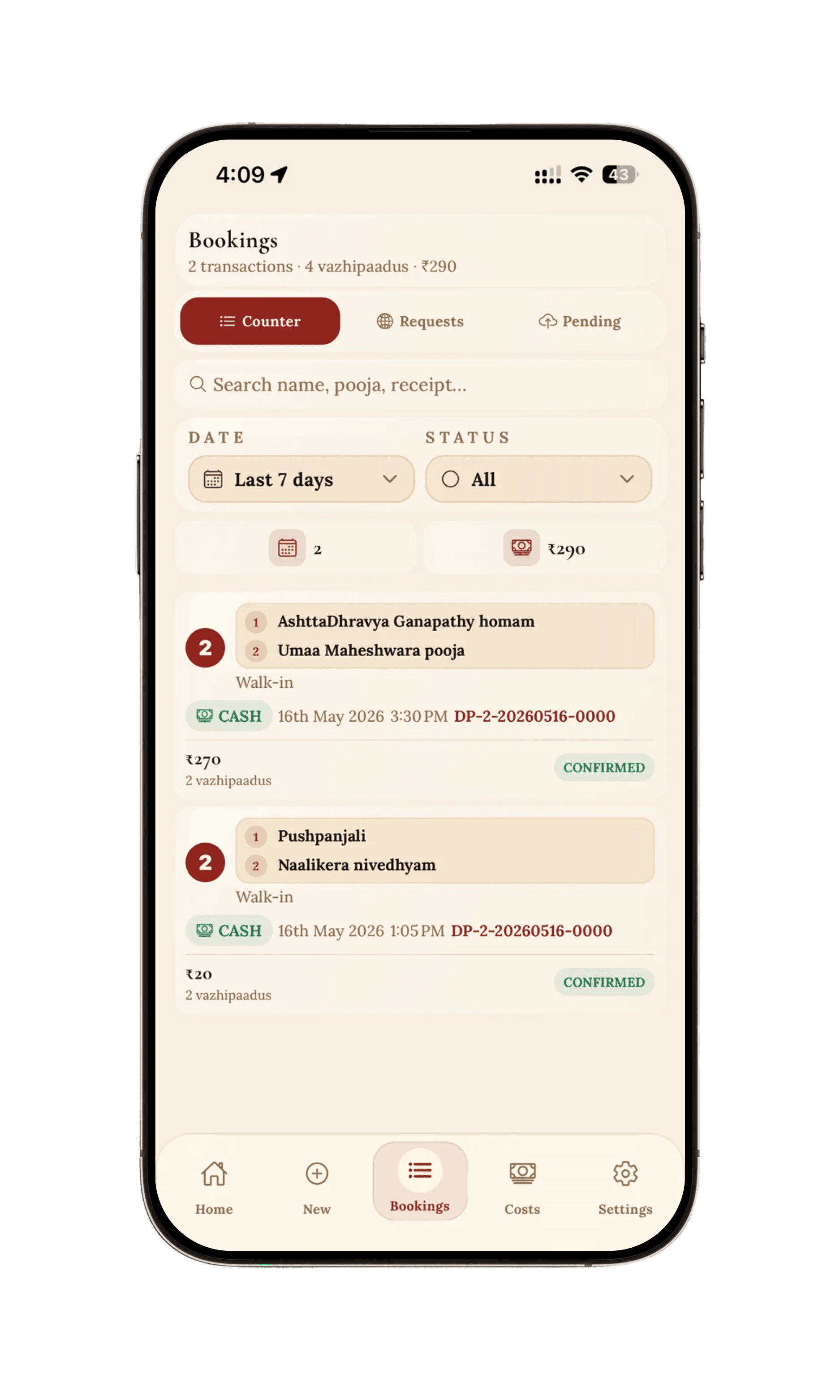
Review every counter transaction in one list.

See counter bookings, online requests, and pending sync in separate tabs. Search by name, pooja, or receipt, filter by date and status, and confirm what was collected at the desk.

  • Counter, requests, and pending sync views
  • Search and date or status filters
  • Payment method and receipt IDs per booking
  • Confirmed totals with vazhipaadu breakdown
Bookings list

Expenses

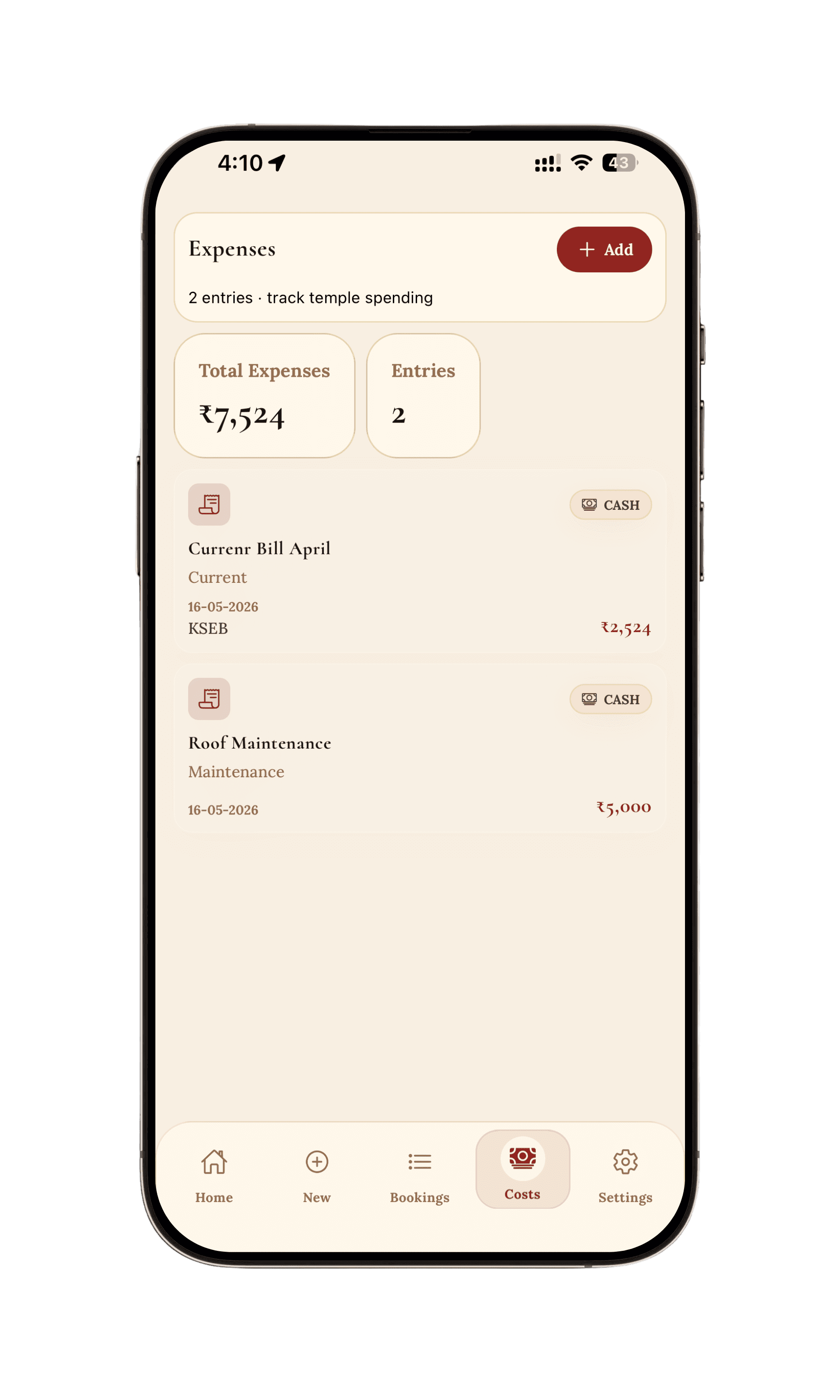
Track temple spending alongside income.

Log utilities, maintenance, salaries, and other costs with categories and dates so trustees see how the temple is performing beyond counter collections.

  • Add expenses with category and vendor notes
  • Running total and entry count at a glance
  • Cash and other payment methods recorded
  • Simple list built for monthly reconciliation
Expense tracking

Administration

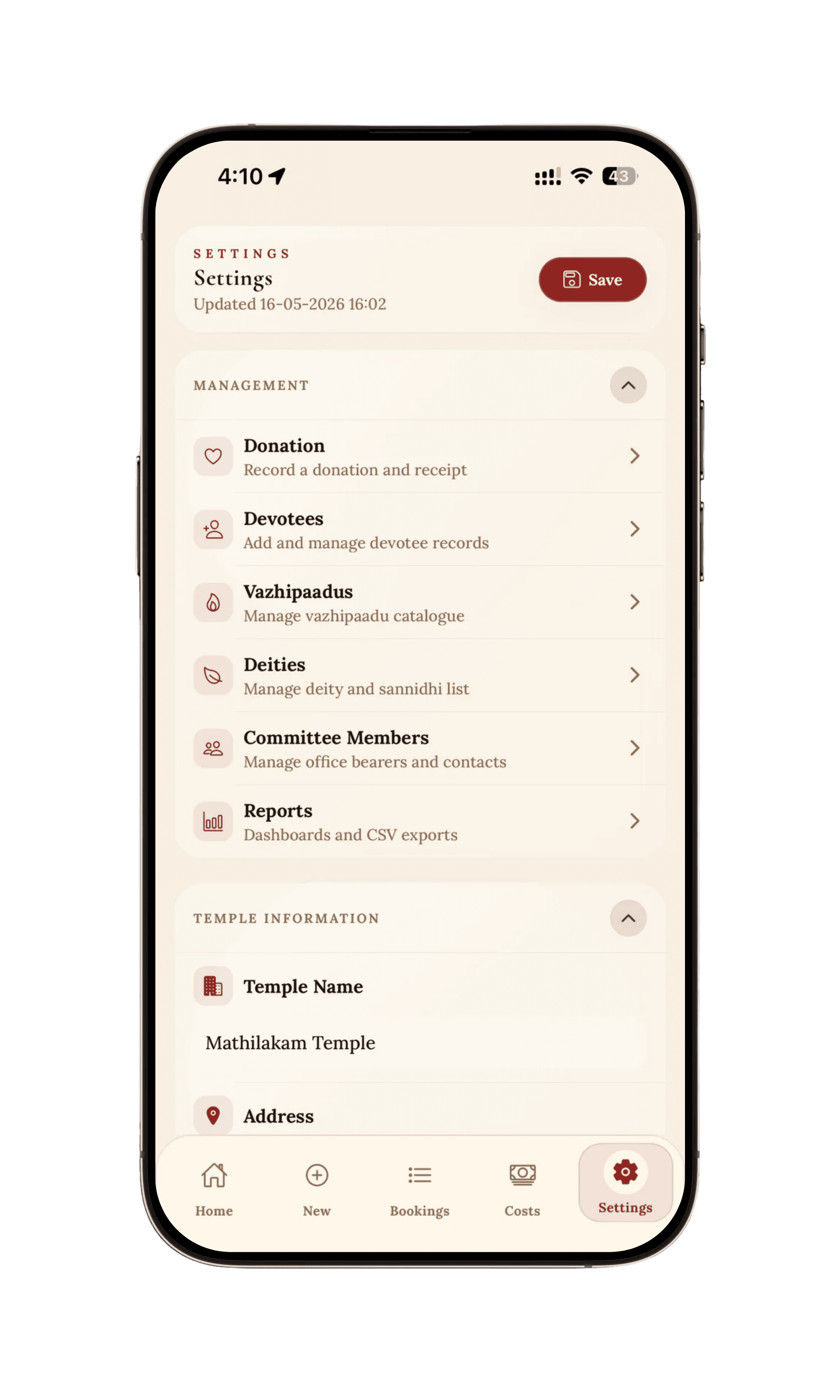
Manage temple data from one settings hub.

Trustees and office bearers maintain donations, devotee records, the vazhipaadu catalogue, deities, committee contacts, and reports without leaving the app.

  • Donations with receipts
  • Devotee records and catalogue management
  • Deities, committee, and temple profile
  • Reports and exports for oversight
Settings and management

Ready to run your temple counter on DevaPatha?

Install DevaPatha Manager on your counter devices. DevaPatha Devotee for devotees is coming soon.